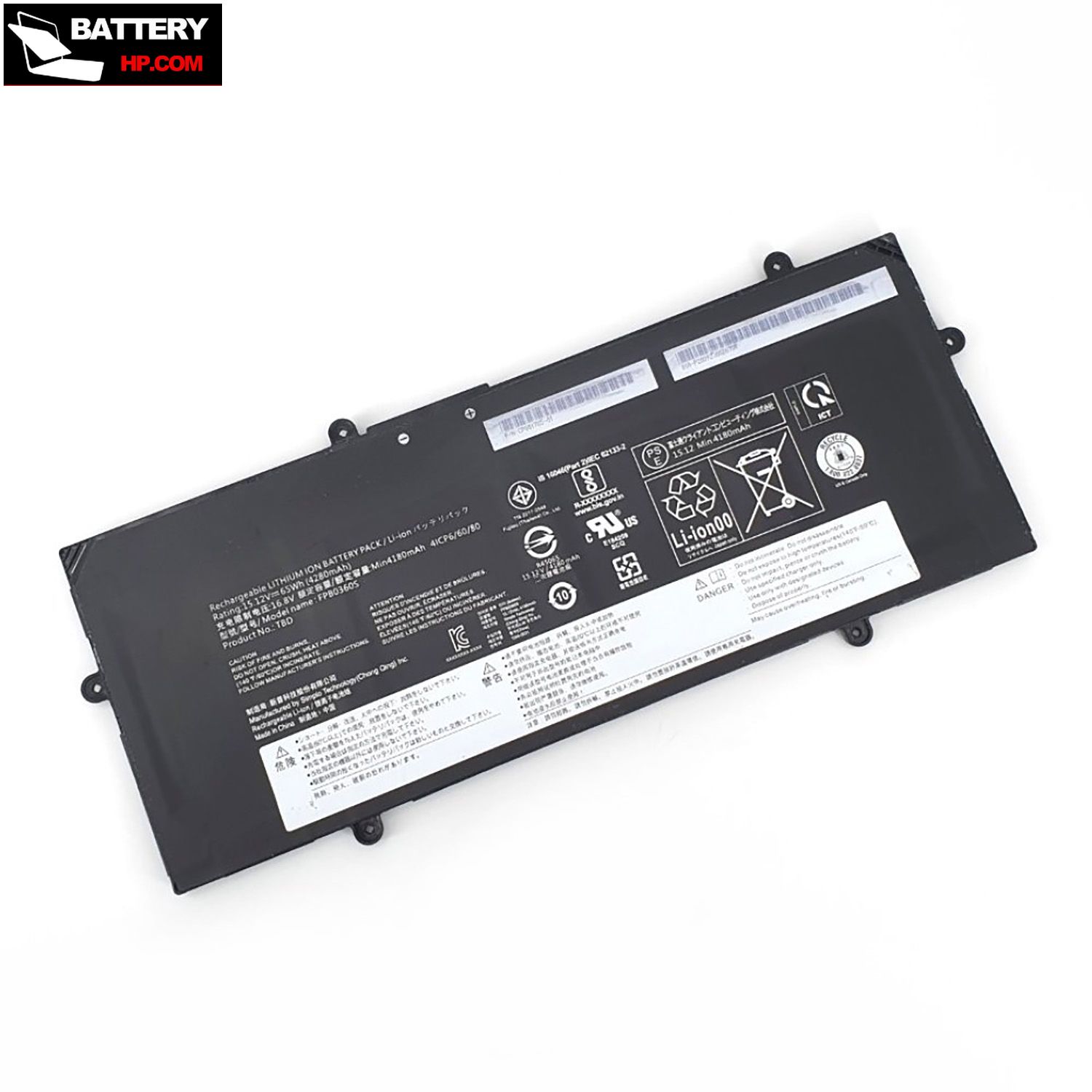
4280mAh 15.12V Battery for Fujitsu U7511
$102.36 $123.86
Free and fast shipping + 1 year warranty + 30 day money back!
Availability : In stock
Battery Type : Li-ion
Voltage : 15.12V
Capacity : 4280mAh
Color : Black
AC Adapter for Fujitsu U7511
- $ 38.56 45.89
- High Quality replacement U7511 adapter includes AC Power Cord , 100-240VAC 50/60Hz , Over Voltage Protection, Short Circuit Protection, Over Current Protection !
-
-
-
Availability : In stock
Description
| U7511 battery specifications |
| Availability: | In stock |
| Battery Type: |
Li-ion |
| Capacity: |
4280mAh |
| Voltage: |
15.12V |
| Useful Life: |
300-500 recharges |
| The condition of the product: |
Band New |
| Warranty: |
12 Months |
Compatible Fujitsu Laptop Models:
- U7511
- LifeBook U7411
- LifeBook U7511
- LifeBook U7512
- LifeBook E4512
- LifeBook E5512
- LifeBook E5512A
- LifeBook E5513
- LifeBook U7613
Compatible Fujitsu Part Numbers:
- FMVNBP253
- FPCBP592
- CP801785
- FMVNBP261
- CP847081
- FPB0360S
- CP838321
- FPCBP602
Welcome to our HP-BATTERY, your one-stop shop for the highest quality HP laptop batteries. Our brand new 4280mAh replacement Fujitsu LifeBook U7511 Li-ion battery is designed to ensure optimal performance, constructed with high-grade cells from Samsung, LG, and Panasonic. The battery pack's casing is made of non-flammable and extremely robust plastic that is both fire-resistant and durable when dropped from low heights.
This Fujitsu LifeBook U7511 battery features top-of-the-line Li-ion cells from Samsung, known for their superior performance and reliability. When choosing a rechargeable battery, it's important to consider its mAh (milliamp-hour) rating or Whr (watt-hour) capacity. This HP battery has a rating of 4280mAh and 15.12V , indicating a longer run time before needing to be recharged.
We stand behind the quality of our batteries with a full 1-year warranty, and each U7511 battery undergoes thorough testing and charging before shipping. If for any reason you're not completely satisfied with your purchase, we offer a 30-day money-back guarantee. And if our product fails within the first 30 days, we'll cover all shipping expenses for a replacement.
Fujitsu LifeBook U7511 Battery use and maintenance:
- After getting the Fujitsu U7511 battery, please install the battery correctly, make sure that the battery connector is firmly connected to the laptop motherboard, and start charging the laptop. Discharge the new battery to 5% (not 0%), then charge and cycle 3-4 times to wake up the new battery.
- Remember not to discharge the battery to 0%, otherwise the battery will be easily damaged.
- After the Fujitsu U7511 battery is exhausted, please charge it in time. If it is not charged for a long time, the battery may be damaged.
- If the battery is not used for a long time, it needs to be charged to more than 70% for storage. The storage time should not exceed 3 months.
- If you often use it with a charger, please use the battery power regularly and use it more than once a week.
- Please use original chargers. Inferior chargers will affect the normal charging of the U7511 battery.
- Regularly clean the fan dust to increase the heat dissipation effect and reduce power consumption, which can effectively extend the Fujitsu U7511 battery life.
Bestsellers
-
$81.69
-
$ 102.36
-
$ 89.98
-
$ 97.99