

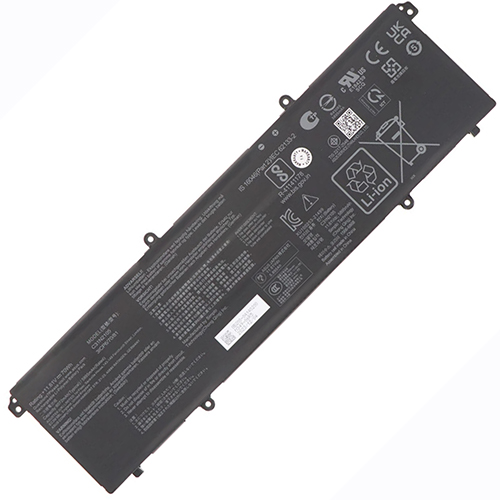
Availability : In stock
Battery Type : Li-ion
Voltage : 11.61V
Capacity : 70Wh
Color : Black


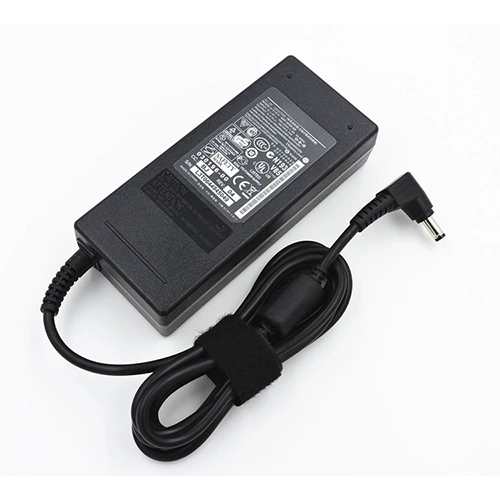
Availability : In stock
| Asus Vivobook 14 Flip TP3407SA battery specifications | |
| Availability: | In stock |
| Battery Type: | Li-ion |
| Capacity: | 70Wh |
| Voltage: | 11.61V |
| Color: | Black |
| The condition of the product: | Band New |
| Guarantee: | 12 Months |
By buying here you are buying quality and benefit from the expertise of a store in the U.S., order tracking and quality after-sales service.
Asus Vivobook 14 Flip TP3407SA battery at the best price at HP-Battery!
Seeing your Asus Vivobook 14 Flip TP3407SA battery bar display "not charging" or "incompatible battery" is hard to take in. But there are easy solutions. The issue might stem from the laptop's BIOS, which will require a system upgrade to identify and charge the battery. The current configurations of the system may only suit an Original Equipment Manufacturer (OEM) battery. It can prevent your asus replacement battery from communicating properly with your software. You can find a suitable BIOS upgrade from asus official website. Recharge your Vivobook 14 Flip TP3407SA battery after the upgrade for 12 hours and resume regular usage.
There are instances whereby your fully charged battery would not power up your PC. This "False Peak" often happens when a discharged battery for Vivobook 14 Flip TP3407S is used for the first time in several months. The charging indicator reveals a fully charged battery within the initial 10 to 15 minutes of charging, whereas the reverse is the case. When this occurs, plug the battery in for an hour or so. Afterward, unplug the battery and immediately plug it in. Normal charging of the Asus Vivobook 14 Flip TP3407SA battery will commence and the battery indicator will light up. You may have to do this several times within this period.
Calibrating your Asus laptop through the Windows Power Management tool will stop this from happening. Afterward, unplug the laptop's ac adapter and drain the battery. Plug your Microsoft Vivobook 14 Flip TP3407S battery until it is fully charged. You may need to repeat the process until you attain a full charge
After purchasing a new replacement battery for Vivobook 14 Flip TP3407SA Asus laptop, you may still experience some issues with it. After trying several other troubleshooting steps to no avail, your battery is likely bad. Then, it is up to you to return it to where you bought it. Several reasons might have caused the damage. Transporting and packaging are some of the reasons why your replacement battery could go bad. Still, it is important that you purchase your Asus Vivobook 14 Flip TP3407S laptop battery from the right source.




SALE OF BATTERIES