


Availability : In stock
Voltage : 15.56V
Capacity : 75Wh
Product Type : Li-Ion
Condition : Brand New


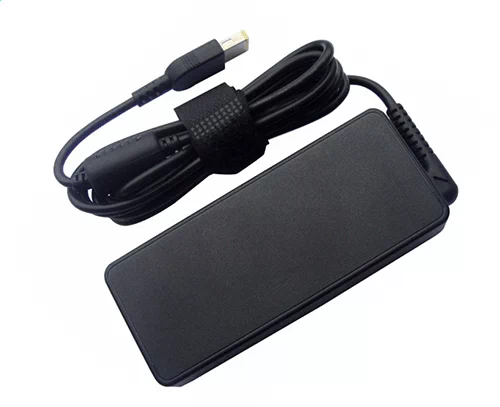
Availability : In stock
| Lenovo Yoga Pro 9 14IRP8-83BU Battery Specifications | |
| Availability: | In stock |
| Battery Type: | Li-Ion |
| Capacity: | 75Wh |
| Voltage: | 15.56V |
| Color: | Black |
| The condition of the product: | New |
| Guarantee: | 12 Months |
HP-battery provides customers with the best quality batteries on the market. Our Lenovo Yoga Pro 9 14IRP8-83BU batteries are all lithium-ion batteries .
The quality of a battery depends largely on the battery cell. Our Lenovo Yoga Pro 9 14IRP8-83BU laptop battery uses high-quality cells including Sanyo, CATL, BYD, and LGH Chemical, which are very durable and have a very low probability of failure. Choose our batteries, you will have no worries!
Lenovo Yoga Pro 9 14IRP8-83BU Battery not charging One prevalent issue with laptop batteries is their failure to charge appropriately. There could be several reasons if your Yoga Pro 9 14IRP8-83BU laptop battery isn't charging. Initially, ensure that the power cable is correctly connected. If it is, you may need to reset the battery by removing it and reinserting it. If this doesn't work, try updating your laptop's BIOS or resetting its power management settings.
Lenovo Yoga Pro 9 14IRP8-83BU Battery draining too quickly A problem that many laptop users grapple with is the swift draining of their battery. This can be inconvenient, especially when you require your laptop to sustain for extended durations. One potential fix is to diminish your screen's brightness, which can notably prolong your battery's lifespan. Furthermore, shutting unnecessary programs and deactivating features like Bluetooth and Wi-Fi when not in use can aid in preserving battery life.
Overheating battery Overheating can pose a severe concern for laptop batteries. It can potentially harm the battery and even present a safety hazard. If your Yoga Pro 9 14IRP8-83BU laptop battery is heating excessively, attempt to shut down your laptop and let it cool down. If the issue persists, it might be necessary to replace your battery.
Lenovo Yoga Pro 9 14IRP8-83BU Battery not holding charge A common problem with laptop batteries is that they stop holding a charge. If your Yoga Pro 9 14IRP8-83BU battery is not holding a charge, you may need to replace it. However, before doing so, try calibrating your battery by fully charging it and then letting it run down completely. This can sometimes help restore the battery's ability to hold a charge.