Battery for Lenovo TinkPad L16 Gen 1 (Type 21L7 21L8) 46.59Wh 11.31V
- $ 76.94 96.18
- Brand New + 1 year warranty + 30 day money back!
-
Availability : In stock
Voltage : 11.31V
Capacity : 46.59Wh
Product Type : Li-Ion
Condition : Brand New
-
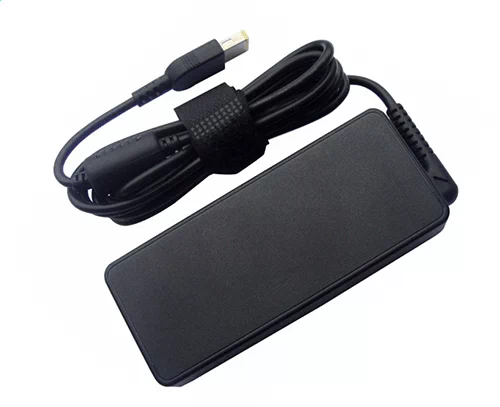
Ac Adapter Charger for Lenovo TinkPad L16 Gen 1 (Type 21L7 21L8)
- $ 40.56 45.89
- NEW AC DC TinkPad L16 Gen 1 (Type 21L7 21L8) Adapter Laptop Charger Compatible Replacement For Lenovo Thinkpad Laptop PC Power Supply. Includes Power Cord Cable.
-
Availability : In stock
-
Description
| Lenovo TinkPad L16 Gen 1 (Type 21L7 21L8) Battery Specifications |
| Availability: | In stock |
| Battery Type: |
Li-Ion |
| Capacity: |
46.59Wh |
| Voltage: |
11.31V |
| Color: |
Black |
| The condition of the product: |
New |
| Guarantee: |
12 Months |
Fit Machine Models:
- TinkPad L16 Gen 1 (Type 21L7 21L8)
- TinkPad L16 Gen 1 (Type 21L7 21L8)
Compatible with numbers:
- 5B11H56393
- 5B11H56394
- 5B11H56395
- L23B3P70
- L23D3p70
- L23L3P70
- L23M3P70
- SB11H56294
- SB11H56295
- SB11H56296

This Brand New Lenovo TinkPad L16 Gen 1 (Type 21L7 21L8) Battery Extended Life uses premium quality battery cells that provide higher performance, reliability, and longer life. This TinkPad L16 Gen 1 (Type 21L7 21L8) battery is tested before shipment and backed by full ONE year warranty and 30 days satisfaction money back guarantee against defects in material or workmanship. We will pay for return shipping for defective item.
How to replace your Lenovo TinkPad L16 Gen 1 (Type 21L7 21L8) Laptop Battery?
- 1 . Turn off your Lenovo TinkPad L16 Gen 1 (Type 21L7 21L8) laptop and disconnect the AC adapter.
- 2 . Release the latch or other attachment devices that hold your battery in place.
- 3 . Slide the old battery out of its compartment or storage bay
- 4 . Take the replacement battery for TinkPad L16 Gen 1 (Type 21L7 21L8) laptop out of the box.
- 5 . Slide it into the notch or bay.
- 6 . Close the safety latch to lock it into place.
- 7 . Reconnect the AC adapter and give the new battery for your Lenovo TinkPad L16 Gen 1 (Type 21L7 21L8) notebook a full charge.
Lenovo TinkPad L16 Gen 1 (Type 21L7 21L8) Battery use and maintenance:
- After getting the Lenovo TinkPad L16 Gen 1 (Type 21L7 21L8) battery, please install the battery correctly, make sure that the battery connector is firmly connected to the laptop motherboard, and start charging the laptop. Discharge the new battery to 5% (not 0%), then charge and cycle 3-4 times to wake up the new battery.
- Remember not to discharge the battery to 0%, otherwise the battery will be easily damaged.
- After the TinkPad L16 Gen 1 (Type 21L7 21L8) battery is exhausted, please charge it in time. If it is not charged for a long time, the battery may be damaged.
- If the battery is not used for a long time, it needs to be charged to more than 70% for storage. The storage time should not exceed 3 months.
- If you often use it with a charger, please use the battery power regularly and use it more than once a week.
- Please use original chargers. Inferior chargers will affect the normal charging of the TinkPad L16 Gen 1 (Type 21L7 21L8) battery.
- Regularly clean the fan dust to increase the heat dissipation effect and reduce power consumption, which can effectively extend the Lenovo TinkPad L16 Gen 1 (Type 21L7 21L8) battery life.