

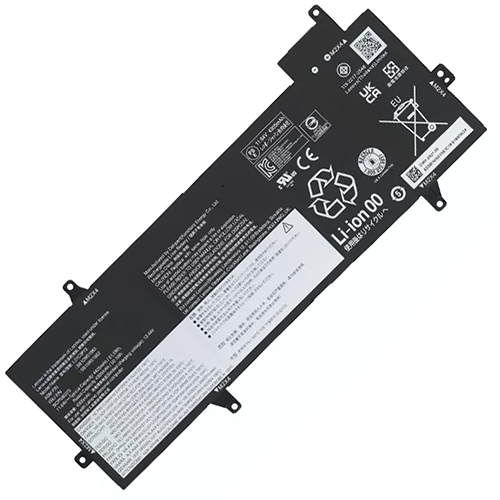
Availability : In stock
Voltage : 11.64V
Capacity : 4425mAh / 51.5Wh
Product Type : Genuine Battery
Condition : Brand New


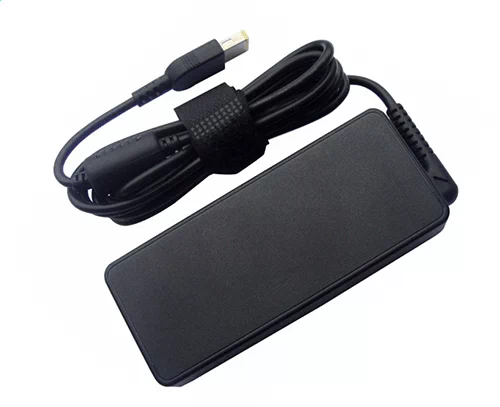
Availability : In stock
| Lenovo ThinkPad Z13 21D2000XEE Battery Specifications | |
| Availability: | In stock |
| Battery Type: | Li-ion |
| Capacity: | 4425mAh / 51.5Wh |
| Voltage: | 11.64V |
| Color: | Black |
| The condition of the product: | New |
| Guarantee: | 12 Months |
Purchasing Lenovo ThinkPad Z13 21D2000XEE battery here you buy quality and benefit from the expertise of a store in the US, order tracking and quality after-sales service.
With this new replacement ThinkPad Z13 21D2000XEE battery, regain the performance of your device as in the first days.
For all batteries the difference of 2 volts in voltage is negligible. Compatibility with your old Lenovo ThinkPad Z13 21D2000XEE battery is therefore assured.
The brands indicated on the HP-Battery.com site are the exclusive property of their depositary. Any mention of brands or models for Battery Lenovo ThinkPad Z13 21D2000XEE , photos is made in order to identify the items for which our products are compatible and adaptable.
Lenovo ThinkPad Z13 21D2000XEE battery at the best price at HP-Battery!
Give your laptop ThinkPad Z13 21D2000XEE battery a long life with some maintenance tips to reduce wear and tear on your battery.
We advise you not to use your laptop on your lap or on a flat surface. This prevents your device from cooling down.
It is also strongly advised not to constantly recharge your battery to keep it at 100%. It is better to wait until your battery is discharged to less than 50% to put it back on charge.
For some older laptop models, it is necessary to unplug your power charger once your battery has been charged. This helps prevent possible overheating of your ThinkPad Z13 21D2000XEE battery. Today, more and more laptops manage the battery charge correctly: it is no longer essential for you to perform this manipulation.
We do not recommend that you store your laptop with a completely discharged battery (even for a few days).
A Lenovo ThinkPad Z13 21D2000XEE battery wears out even when not in use! The most drastic solution to save the battery, is to unplug it when your laptop is used with the AC adapter. In this case, store your battery in a cool, dry place. The battery should be charged and used once a week.
If your laptop has an LCD screen, the first action to take is to optimize its charge by lowering the brightness of your screen. Remember: the brighter it is, the more it consumes. In the same way, the elements related to the graphic display are the most energy-intensive. To play online or watch a DVD film, it is recommended to connect your laptop to the mains socket.

SALE OF BATTERIES