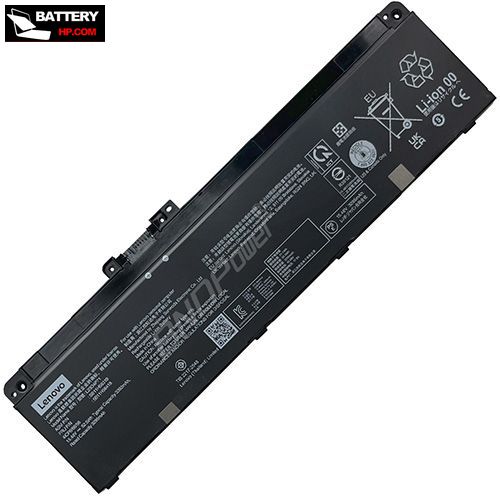
Battery for Lenovo SB11H56319 52.5Wh 15.48V
- $ 112.77 140.96
- Brand New + 1 year warranty + 30 day money back!
-
Availability : In stock
Voltage : 15.48V
Capacity : 52.5Wh
Product Type : Li-Ion
Condition : Brand New
-
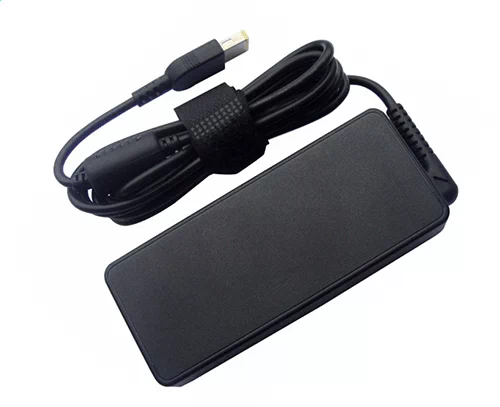
Ac Adapter Charger for Lenovo SB11H56319
- $ 40.56 45.89
- NEW AC DC SB11H56319 Adapter Laptop Charger Compatible Replacement For Lenovo Thinkpad Laptop PC Power Supply. Includes Power Cord Cable.
-
Availability : In stock
-
Description
| Lenovo SB11H56319 Battery Specifications |
| Availability: | In stock |
| Battery Type: |
Li-Ion |
| Capacity: |
52.5Wh |
| Voltage: |
15.48V |
| Color: |
Black |
| The condition of the product: |
New |
| Guarantee: |
12 Months |
Fit Machine Models:
- L23C4P71
- L23D4P71
- L23B4P71
- L23L4P71
- L23M4P71
- SB11H56319
- 5B11H56418
Compatible with numbers:
- SB11H56319
- L23C4P71
- L23D4P71
- L23B4P71
- L23L4P71
- L23M4P71
- SB11H56319
- 5B11H56418

This Brand New Lenovo SB11H56319 Battery Extended Life uses premium quality battery cells that provide higher performance, reliability, and longer life. This SB11H56319 battery is tested before shipment and backed by full ONE year warranty and 30 days satisfaction money back guarantee against defects in material or workmanship. We will pay for return shipping for defective item.
How to replace your Lenovo SB11H56319 Laptop Battery?
- 1 . Turn off your Lenovo SB11H56319 laptop and disconnect the AC adapter.
- 2 . Release the latch or other attachment devices that hold your battery in place.
- 3 . Slide the old battery out of its compartment or storage bay
- 4 . Take the replacement battery for SB11H56319 laptop out of the box.
- 5 . Slide it into the notch or bay.
- 6 . Close the safety latch to lock it into place.
- 7 . Reconnect the AC adapter and give the new battery for your Lenovo SB11H56319 notebook a full charge.
Lenovo SB11H56319 Battery use and maintenance:
- After getting the Lenovo SB11H56319 battery, please install the battery correctly, make sure that the battery connector is firmly connected to the laptop motherboard, and start charging the laptop. Discharge the new battery to 5% (not 0%), then charge and cycle 3-4 times to wake up the new battery.
- Remember not to discharge the battery to 0%, otherwise the battery will be easily damaged.
- After the SB11H56319 battery is exhausted, please charge it in time. If it is not charged for a long time, the battery may be damaged.
- If the battery is not used for a long time, it needs to be charged to more than 70% for storage. The storage time should not exceed 3 months.
- If you often use it with a charger, please use the battery power regularly and use it more than once a week.
- Please use original chargers. Inferior chargers will affect the normal charging of the SB11H56319 battery.
- Regularly clean the fan dust to increase the heat dissipation effect and reduce power consumption, which can effectively extend the Lenovo SB11H56319 battery life.